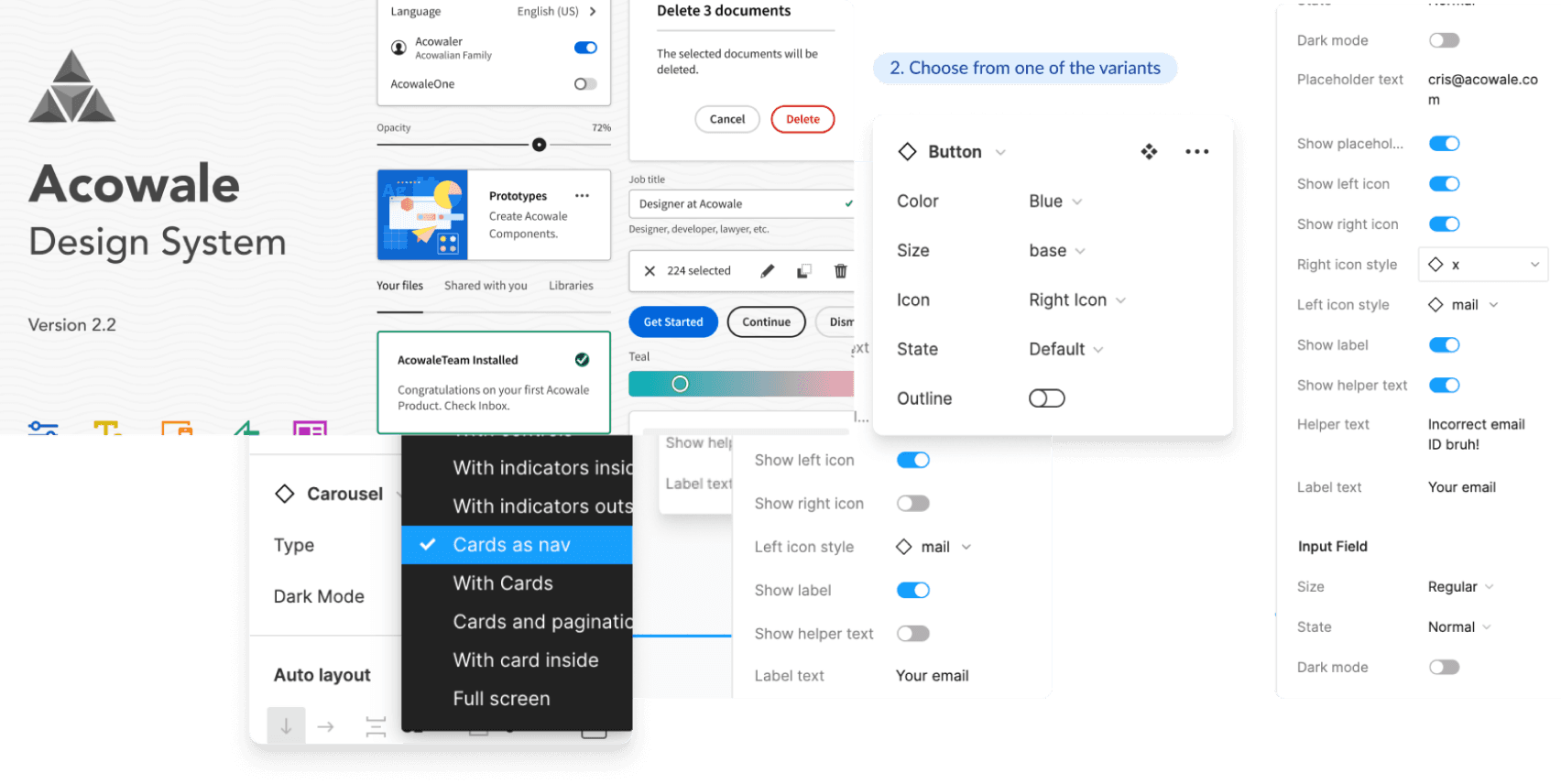
Learning Management System | Aviation
Responsibilities
Secondary Research, Design System, User Interface Design, User Flows, Wireframes

Scroll to read the process (OR)
CONTEXT
To tackle the challenge of improving aviation education at Ignite Aviation Academy, we adopted a user-centered design approach. Our strategy focused on understanding student needs, iterating through design concepts, and validating our ideas through testing.
WHAT’S THE OKR’S?
Setting a clear trajectory for success, we identified key objectives that would drive the creation of a transformative aviation training platform.
Business Goal:
Drive student success and satisfaction by delivering a structured and supportive online learning environment that simplifies complex aviation concepts and exam preparation.
Design Goal:
Develop a scalable and engaging platform prototype that seamlessly integrates Study and Exam functionalities, validated through user feedback to ensure alignment with student needs and learning outcomes.

#1 PRIMARY RESEARCH
To gain a comprehensive understanding of the challenges faced by aviation students, our approach began with stakeholder meetings and a series of interviews with the students themselves.
#2 SECONDARY RESEARCH
In addition to these primary research efforts, we conducted secondary research by studying other Learning Management Systems (LMS) such as Udemy, Coursera and Upgrad.
SKETCHES, BRAINSTORMING
From our research findings, I realized that existing online platforms like Udemy, Coursera fell short in simulating real-life exam environments. This gap led to student frustration, especially in high-stakes fields like aviation. Guided by these insights, I conceptualized new study and exam modes designed to replicate the actual exam experience, making preparation more realistic and effective.
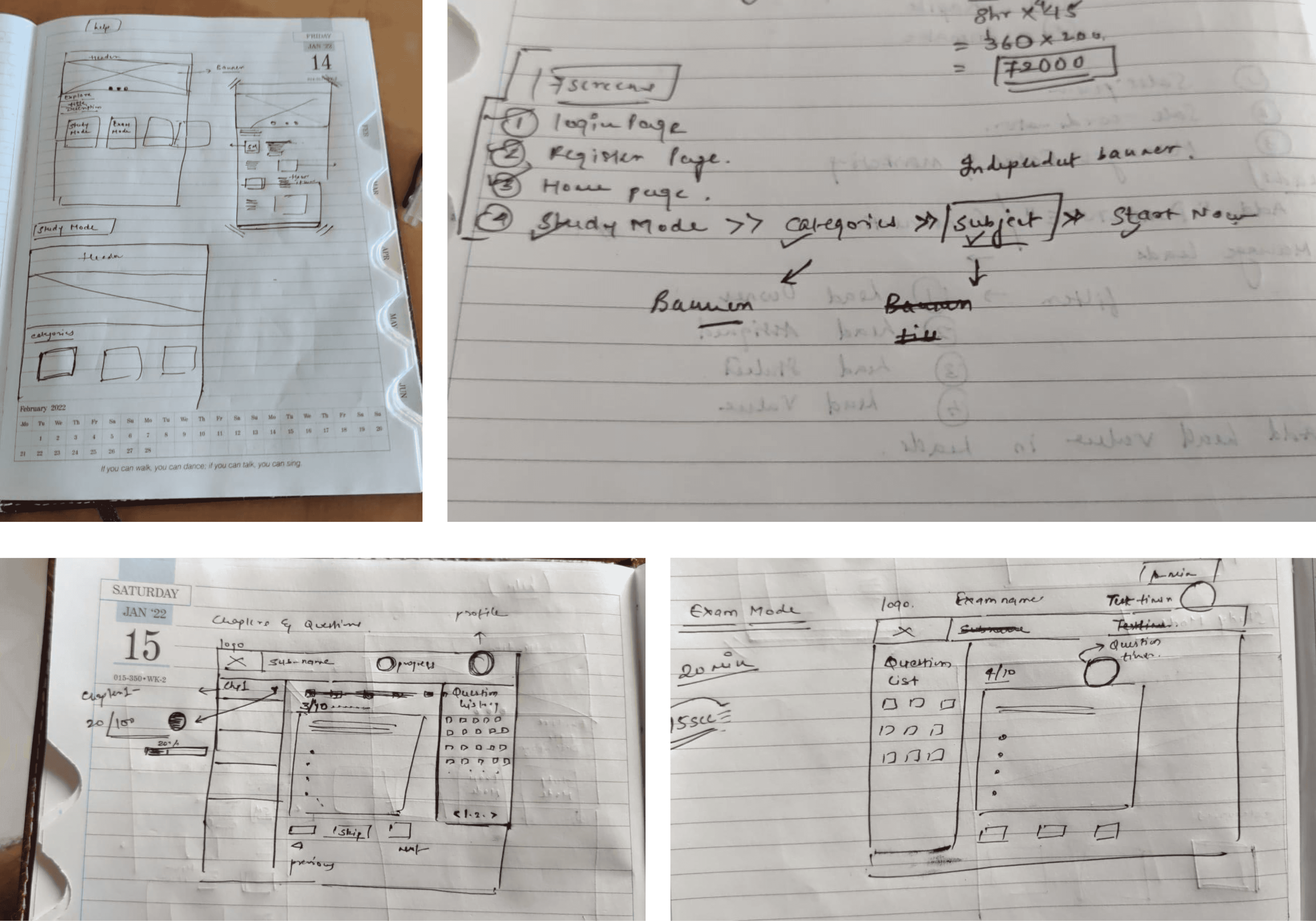
Initial Sketches to conceptualize the Exam Mode and Study Mode
USER JOURNEY
To tackle the challenge of improving aviation education at Ignite Aviation Academy, we adopted a user-centered design approach. The strategy focused on understanding student needs, iterating through design concepts, and validating our ideas through testing.
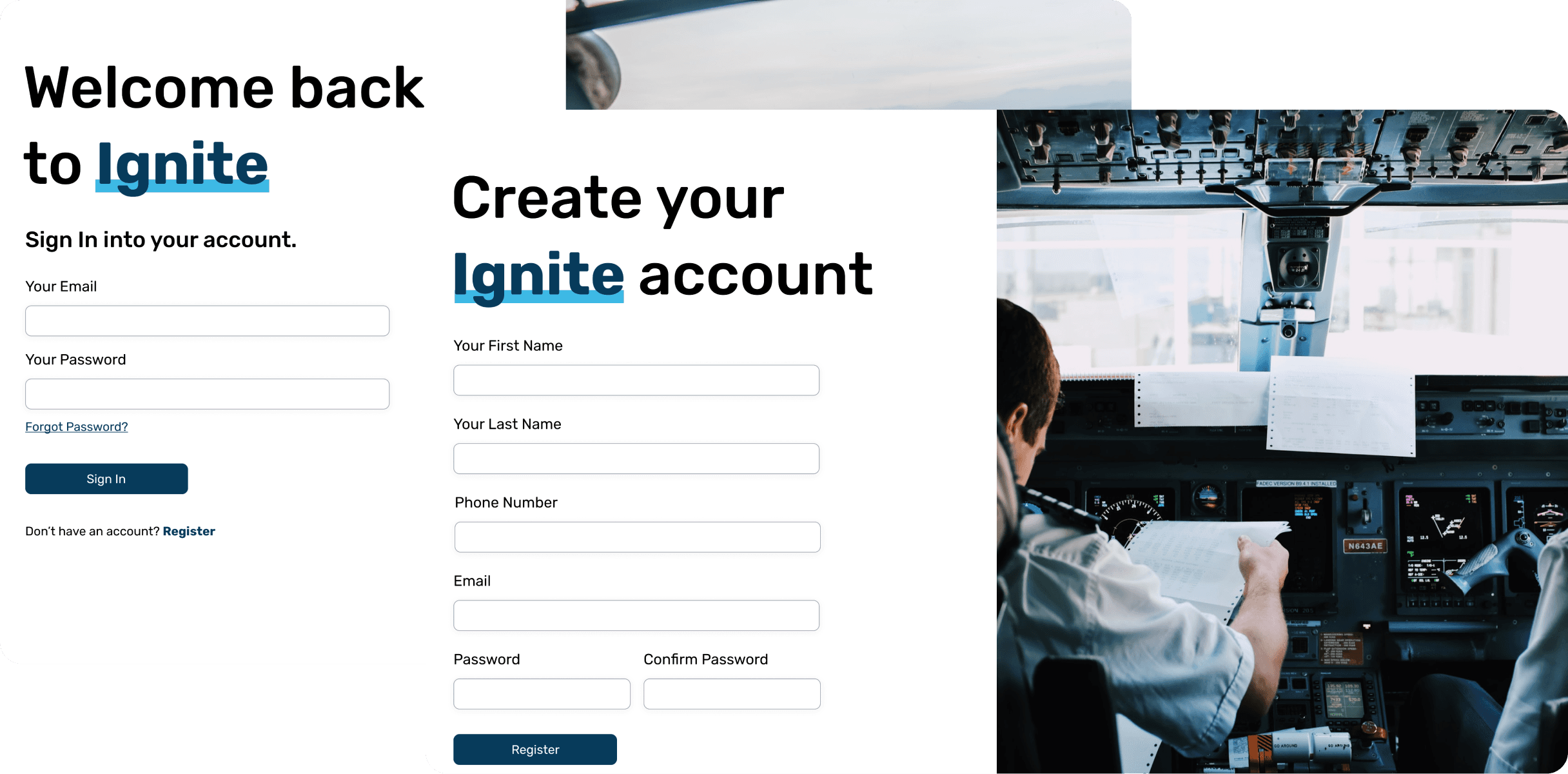
Login Flow
I decided on keeping the login/signup page simple to tackle bounce-offs and keep the dropout rate low.
Study Mode
In Study Mode, users access partner-provided Q&A in MCQ format, aligned with DGCA exam patterns. They can study, practice, and track their progress across various modules and chapters. This mode offers flexibility, allowing users to revisit and attempt modules multiple times for more effective learning and mastery of the content.
Exam Mode
In Exam Mode, registered users can attempt partner-provided exam sets, featuring auto-shuffled MCQ questions that closely resemble the DGCA patterns. The exams are organized subject-wise, with results generated immediately after each attempt. A time limit per question ensures an efficient and dynamic testing experience, providing a realistic exam environment for students to assess their readiness.
*DGCA - Directorate General of Civil Aviation
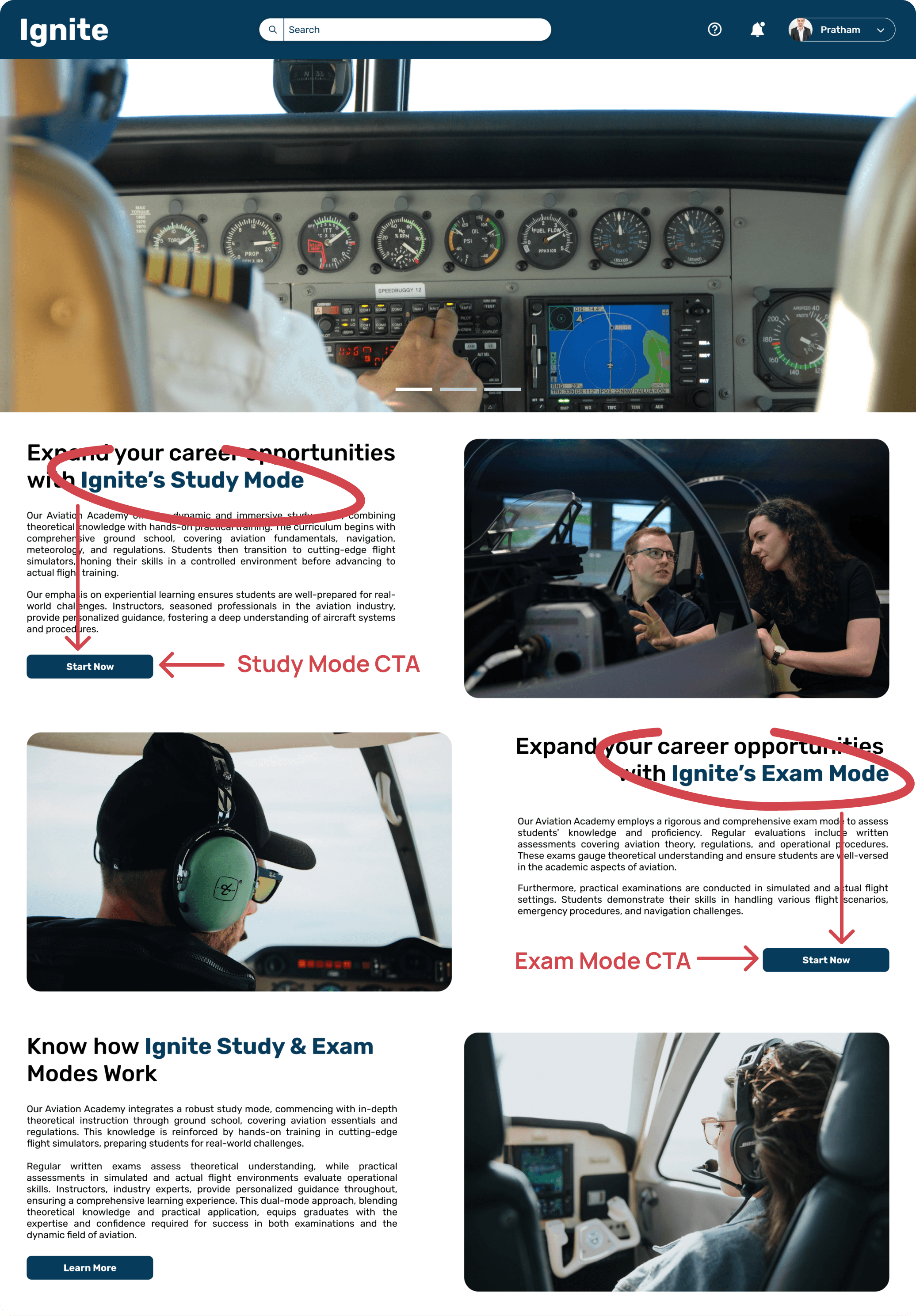
When the user selects the Study Mode, they are directed to a page where they can choose from various Subjects. After selecting a subject, the user can practice relevant questions tailored to that specific area of study. Throughout this process, the platform tracks the user’s progress, providing real-time performance insights and highlighting areas for improvement, helping the student stay on track with their learning goals.
User feedback also indicated that the structure and visual hierarchy were working well, so we focused on refining other areas instead of making unnecessary changes to a well-received element.
In ITERATION 2, we detailed out the Study Mode to provide users with a seamless learning experience. The flow begins with the user selecting the Study Mode CTA to review their desired modules.
Category Selection: Users choose between categories like CPL, ATPL, or PPL.
Subjects & Modules: Based on their category choice, relevant subjects appear, allowing users to start and finish chapters at their own pace.
This clear, structured flow was designed to enhance navigation and improve the overall learning experience by simplifying the journey from category to chapter completion.
*** CPL - Commercial Pilot License
*** ATPL - Airline Transport Pilot License
*** PPL - Private Pilot License
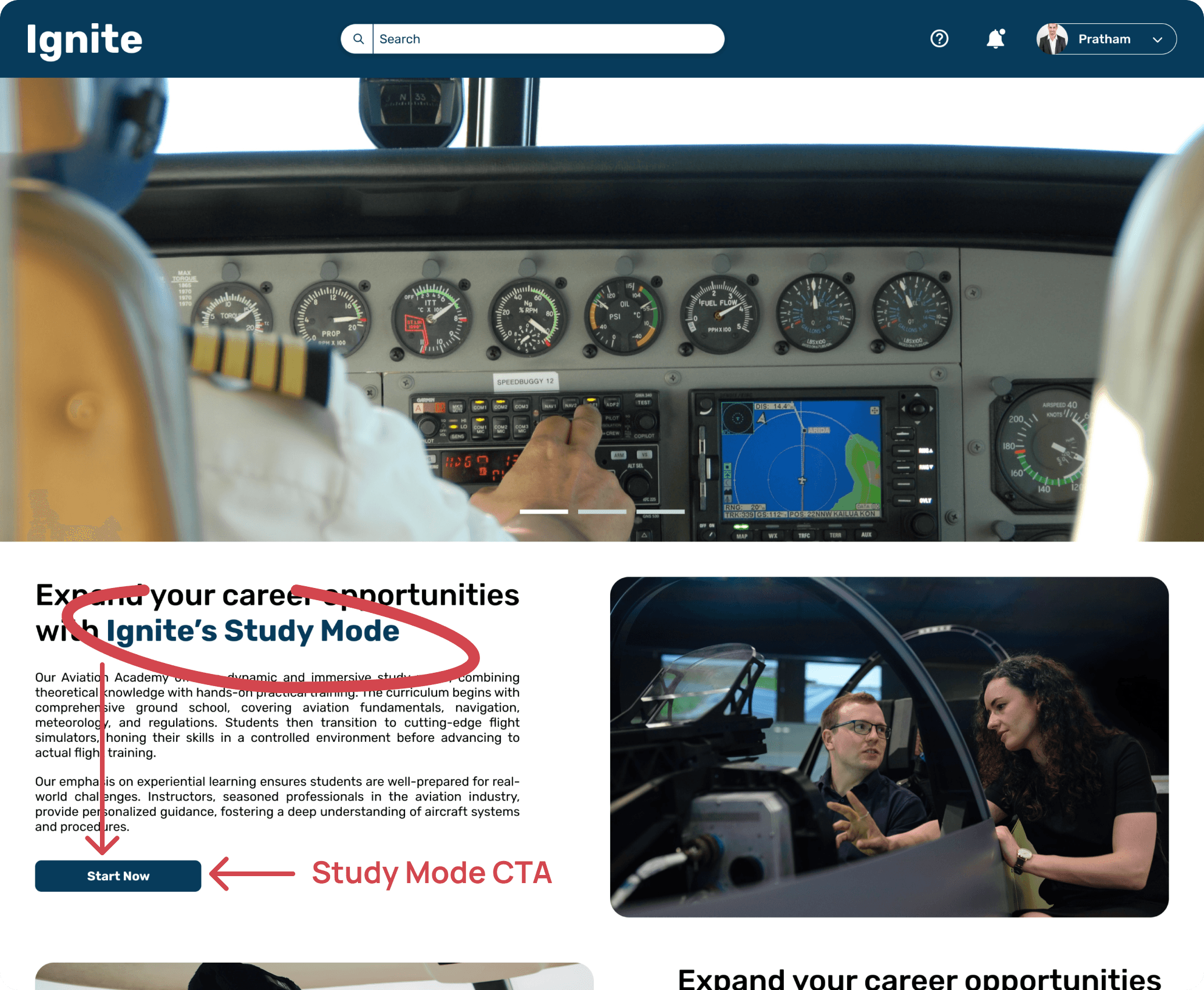
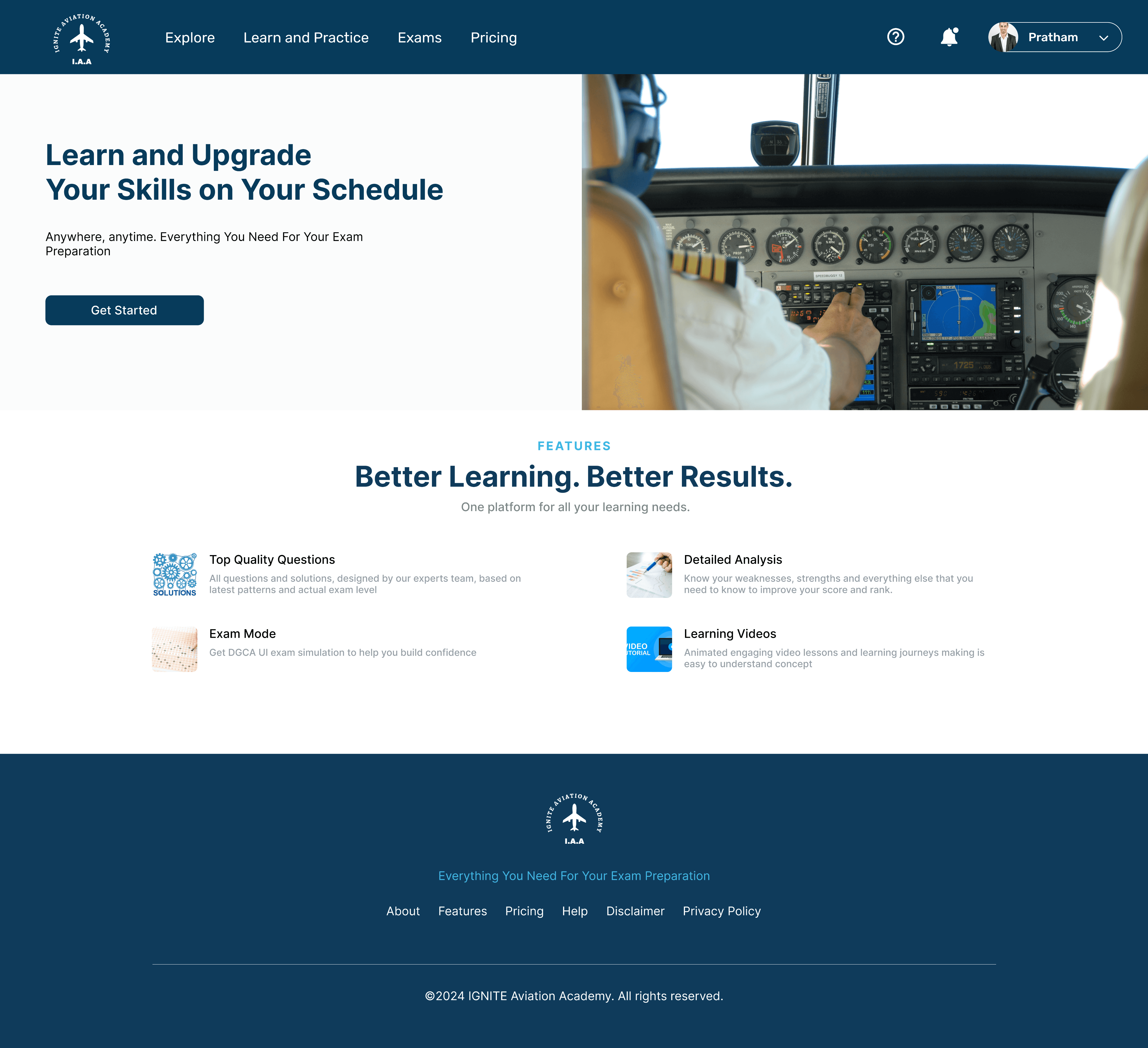
After Login/Sign Up, the user would land on this page.
Some of the major changes in the login/sign up page.
We began with initial design as shown in ITERATION #1, which featured bold visuals and a right-aligned image. However, user feedback indicated that the image placement was distracting and made the page feel unbalanced. After testing, we shifted the image to the left in present design to improve visual flow and balance, making the page more intuitive.
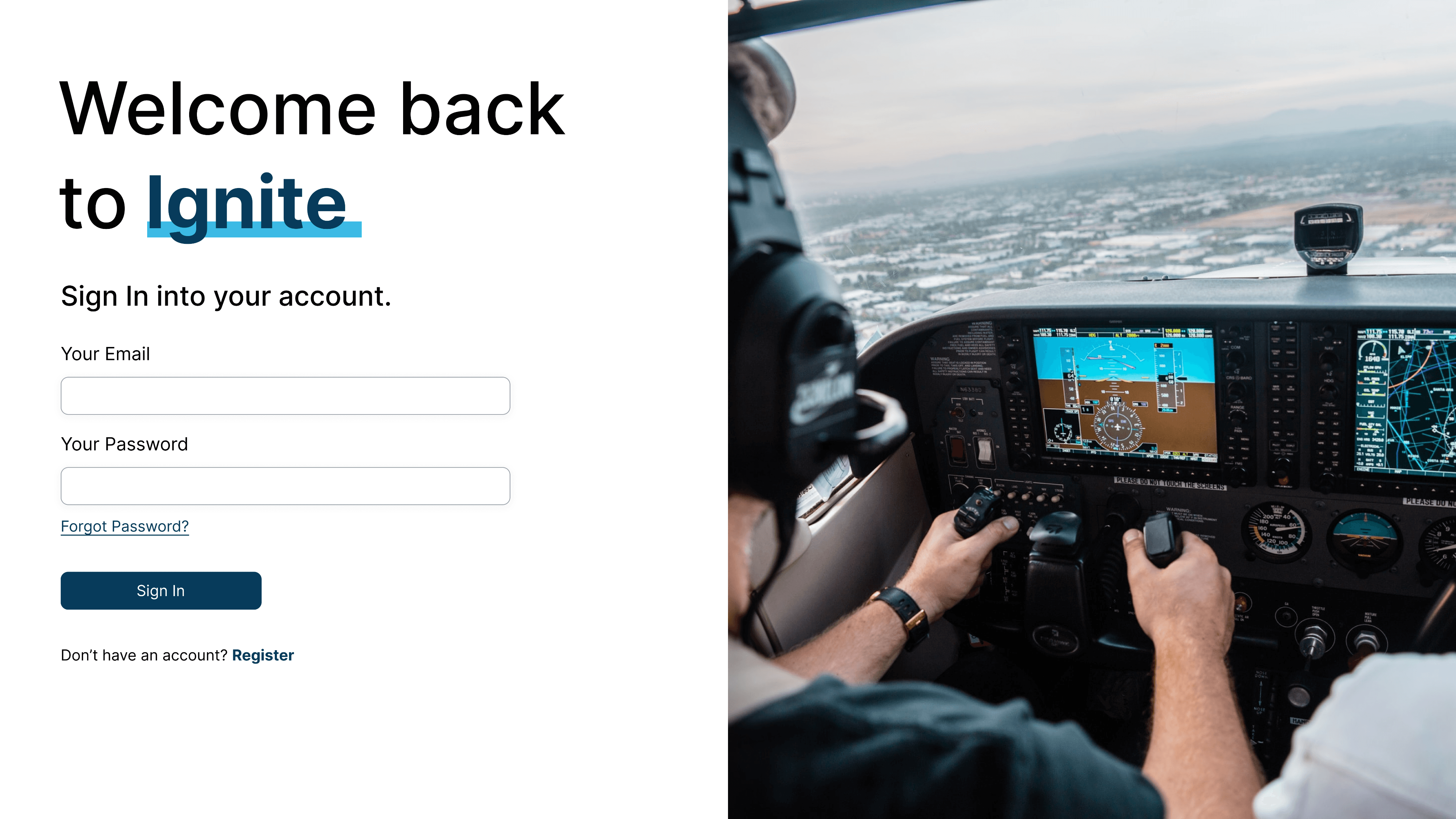
Iteration #1 (BEFORE)
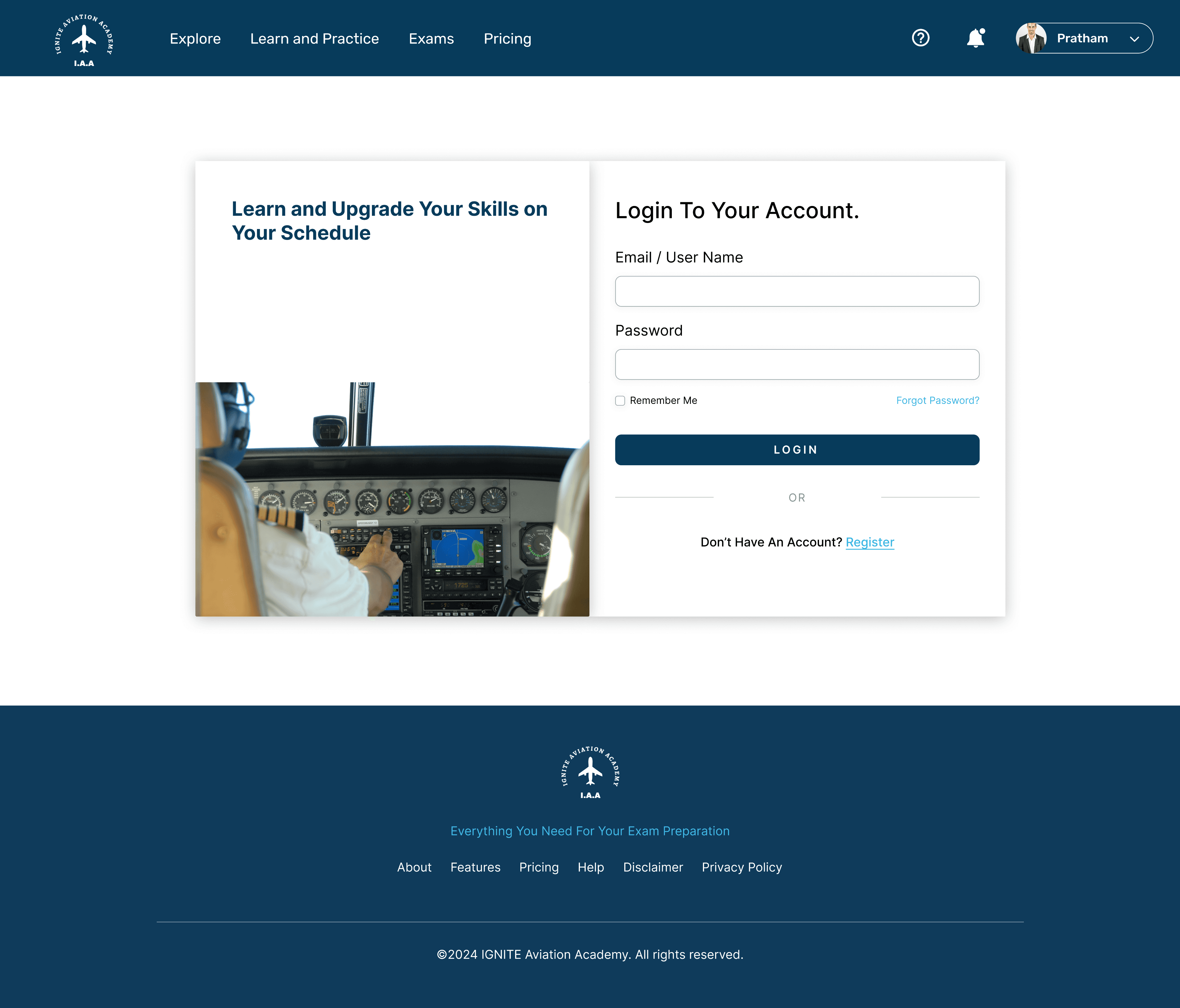
Iteration #2 (AFTER)
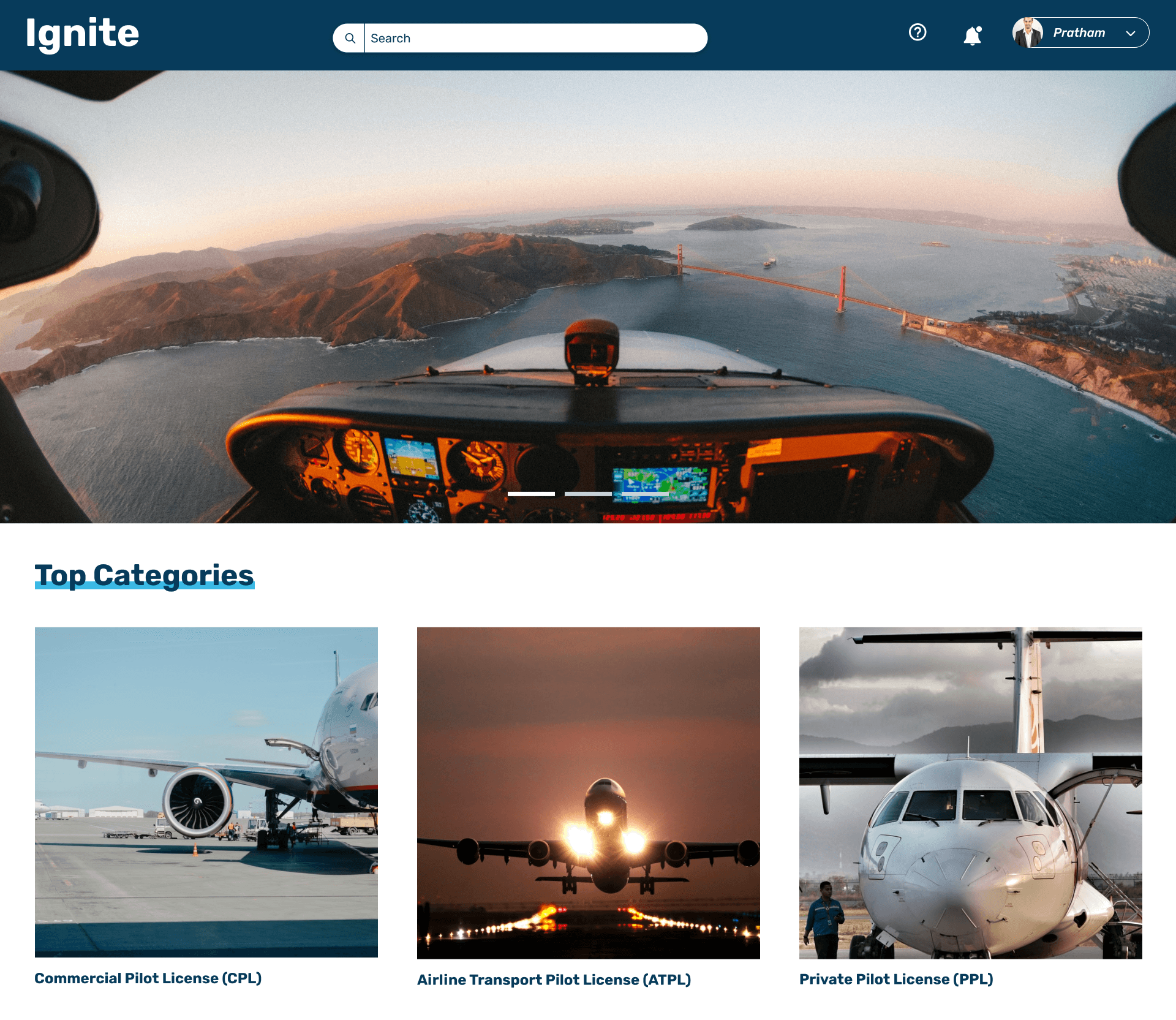
Step 1 > User selects their Category - CPL, ATPL, PPL

Step 2>User selects their Subject
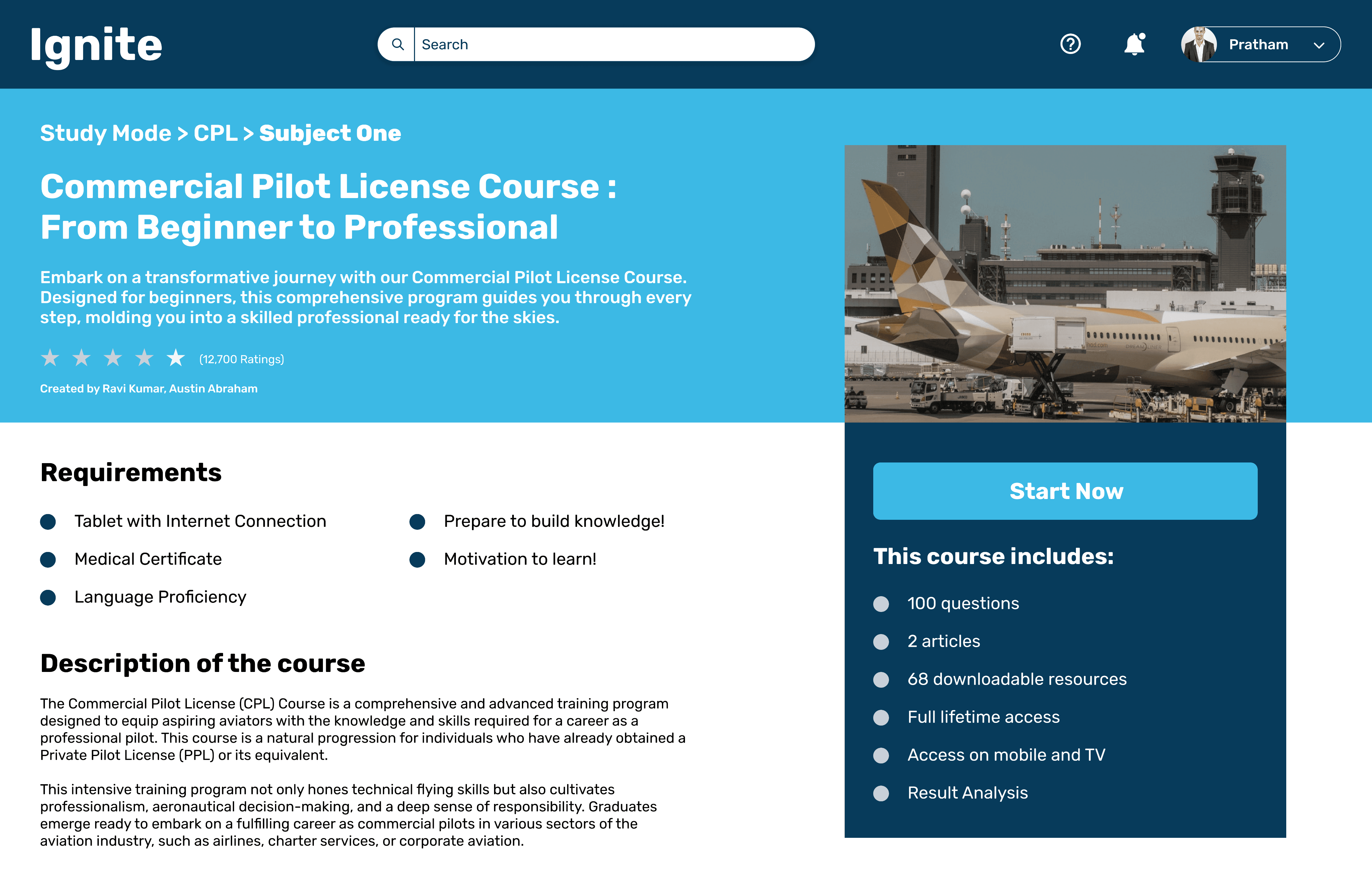
Step 3>User gets a brief description of what the course is about.
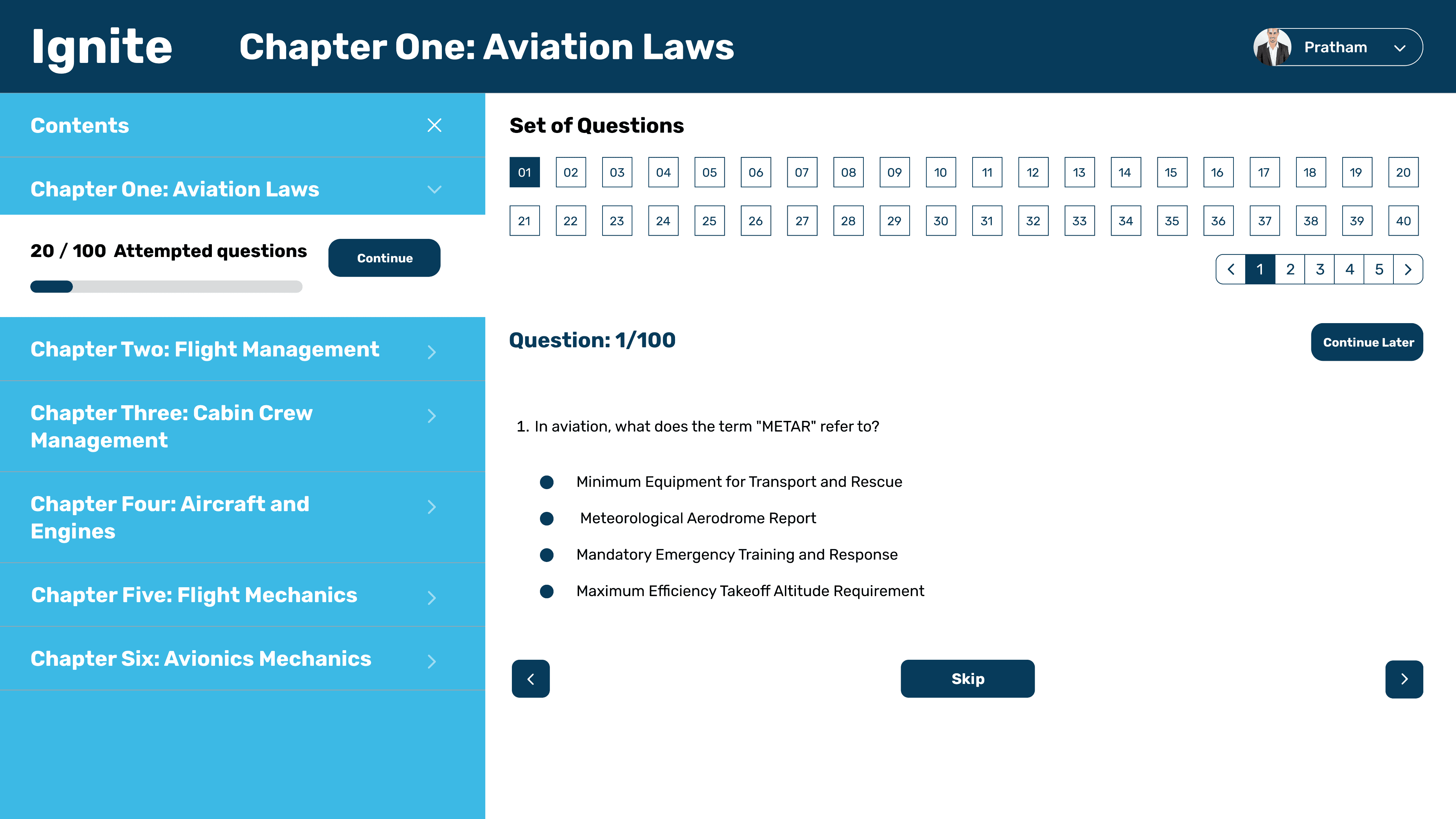
Step 4>User attempts the modules
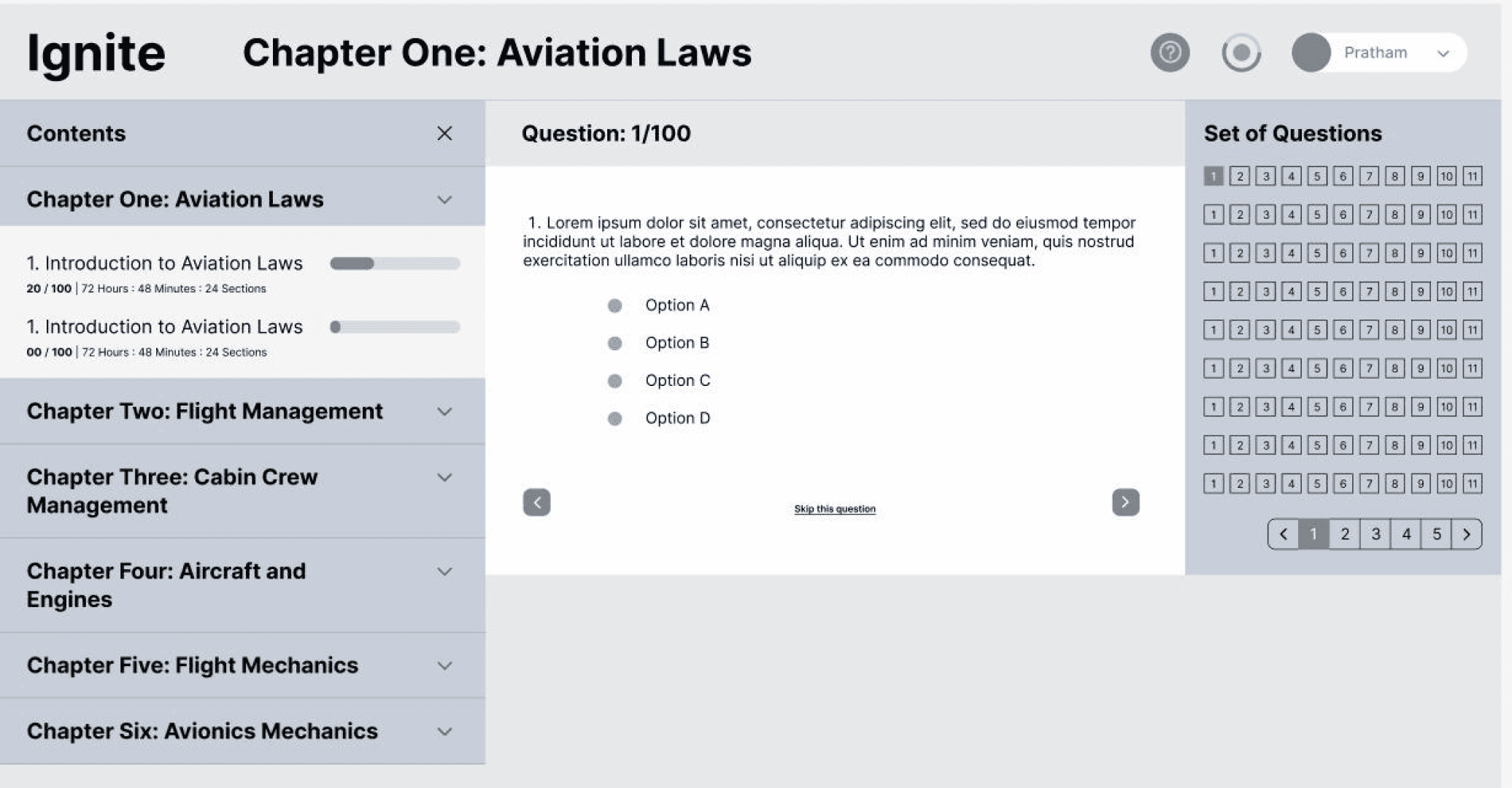
In designing the Study Mode for our application, the challenge was to balance accessibility and aesthetics for an engaging user experience. Initially, the questions were positioned to the right of the screen, which made them easily accessible but felt cluttered and limited the main content area.
Through user testing through usability sessions, we discovered that placing the questions at the top of the screen improved the overall flow. Users found this design visually appealing, as it created a cleaner layout and allowed for a more immersive interaction with the content. The top placement also offered more vertical space, enhancing readability and reducing cognitive overload.
The iterative process of testing and refining this layout was crucial in optimizing the interface. This small but impactful change contributed to a 15% increase in user engagement during the study sessions, as it helped users focus better on the material without feeling overwhelmed by the interface.
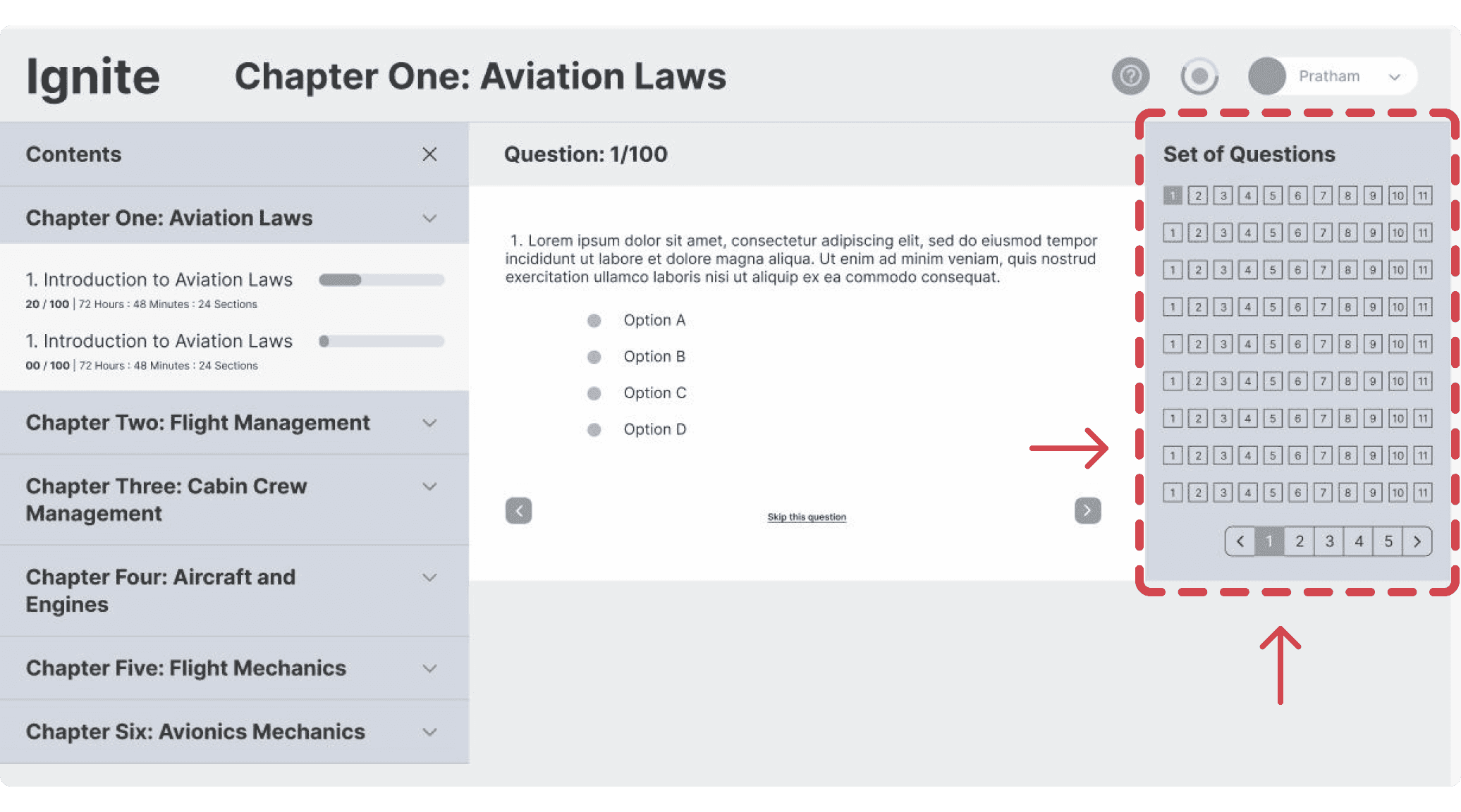
#Iteration 1 (BEFORE)
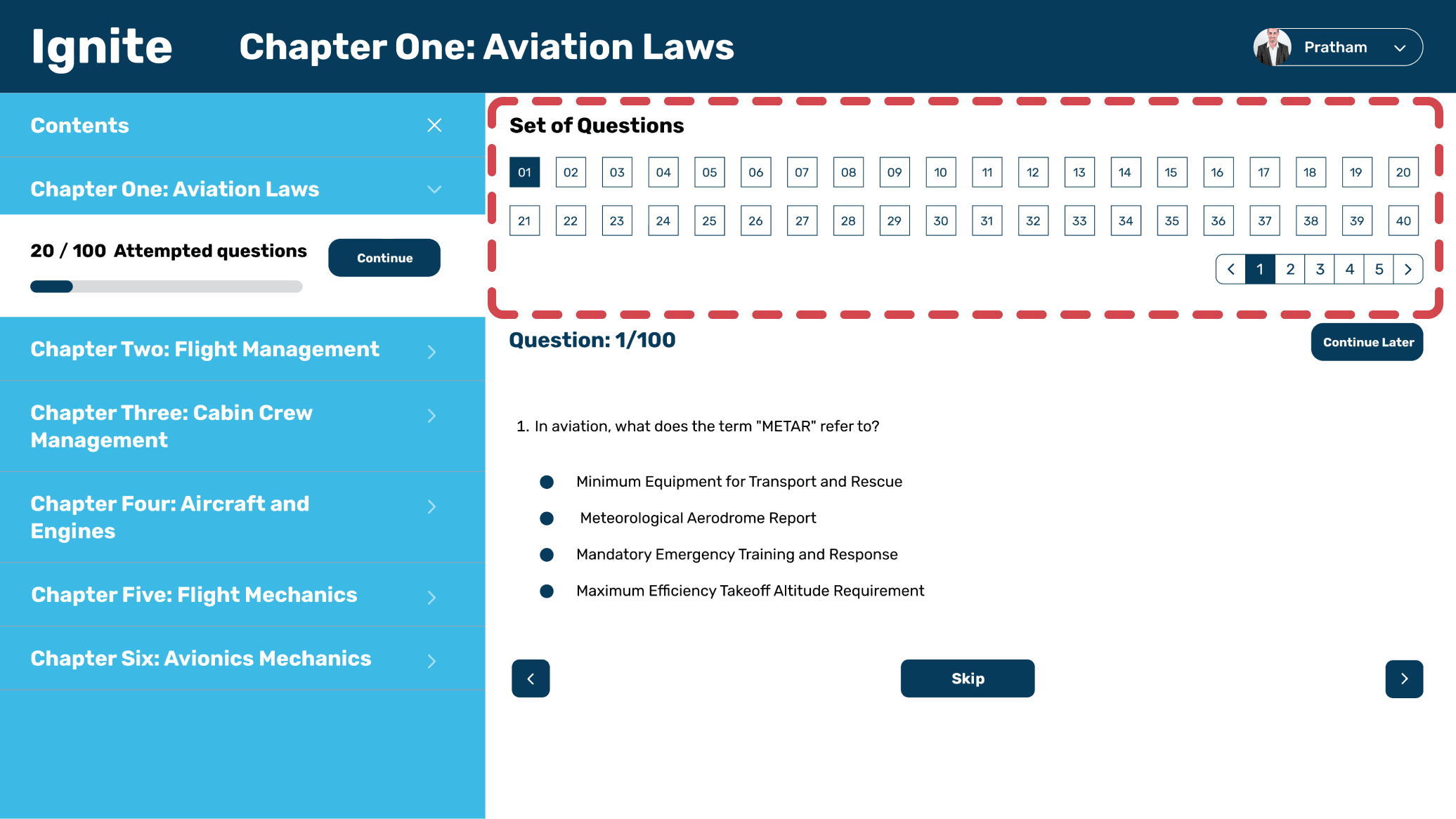
#Iteration 2 (AFTER)
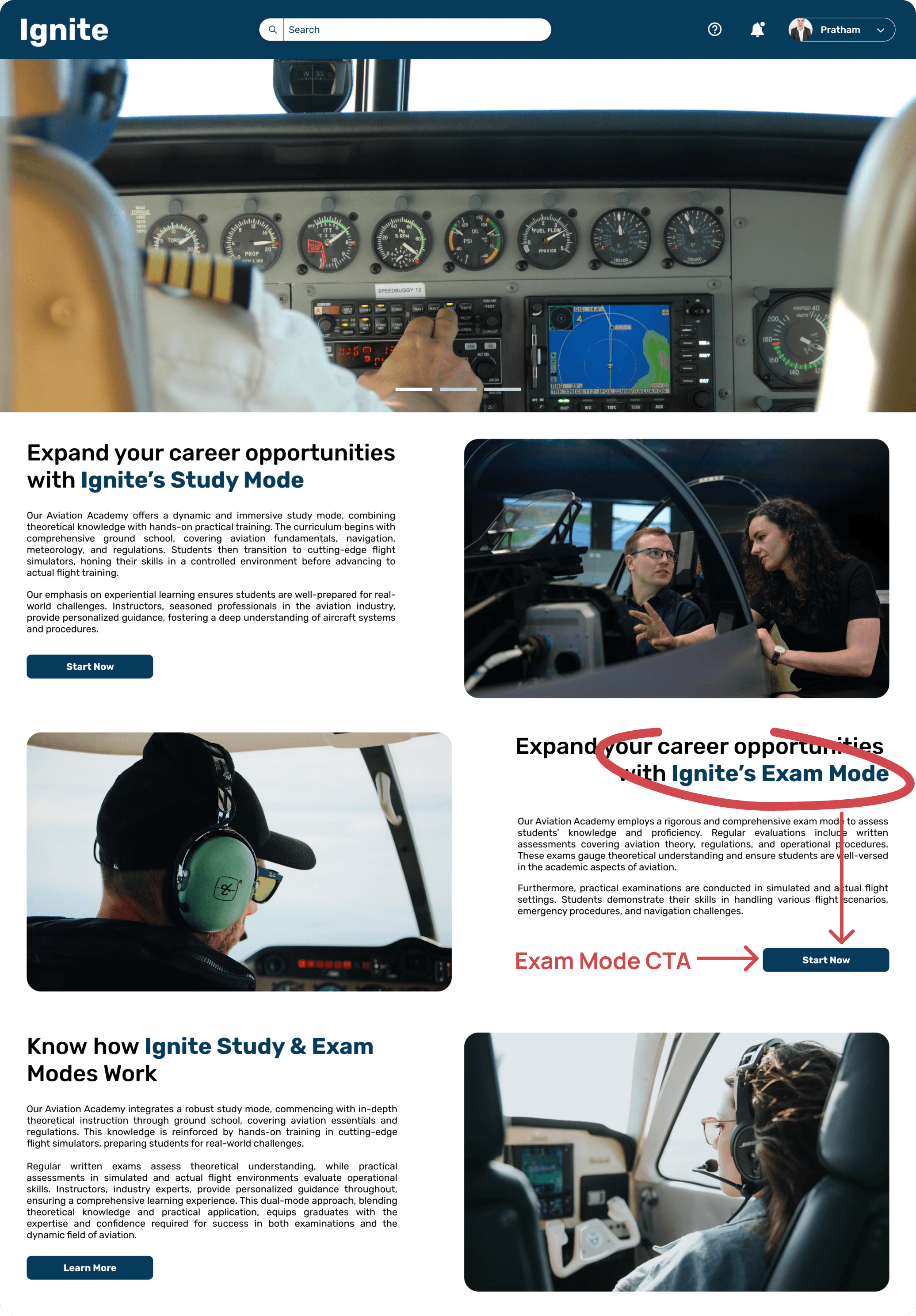
After Login/Sign Up, the user would land on this page.
Exam Mode User Flow
The Exam Mode was designed to replicate a real exam environment, ensuring that students could focus on the task without unnecessary distractions. Based on prior user feedback, I emphasized:
Time Management: A prominently placed, yet unobtrusive timer ensures students are aware of their remaining time without feeling pressured.
Progress Indicators : Students can track their progress through subtle indicators, helping them manage their exam time more effectively without breaking focus.
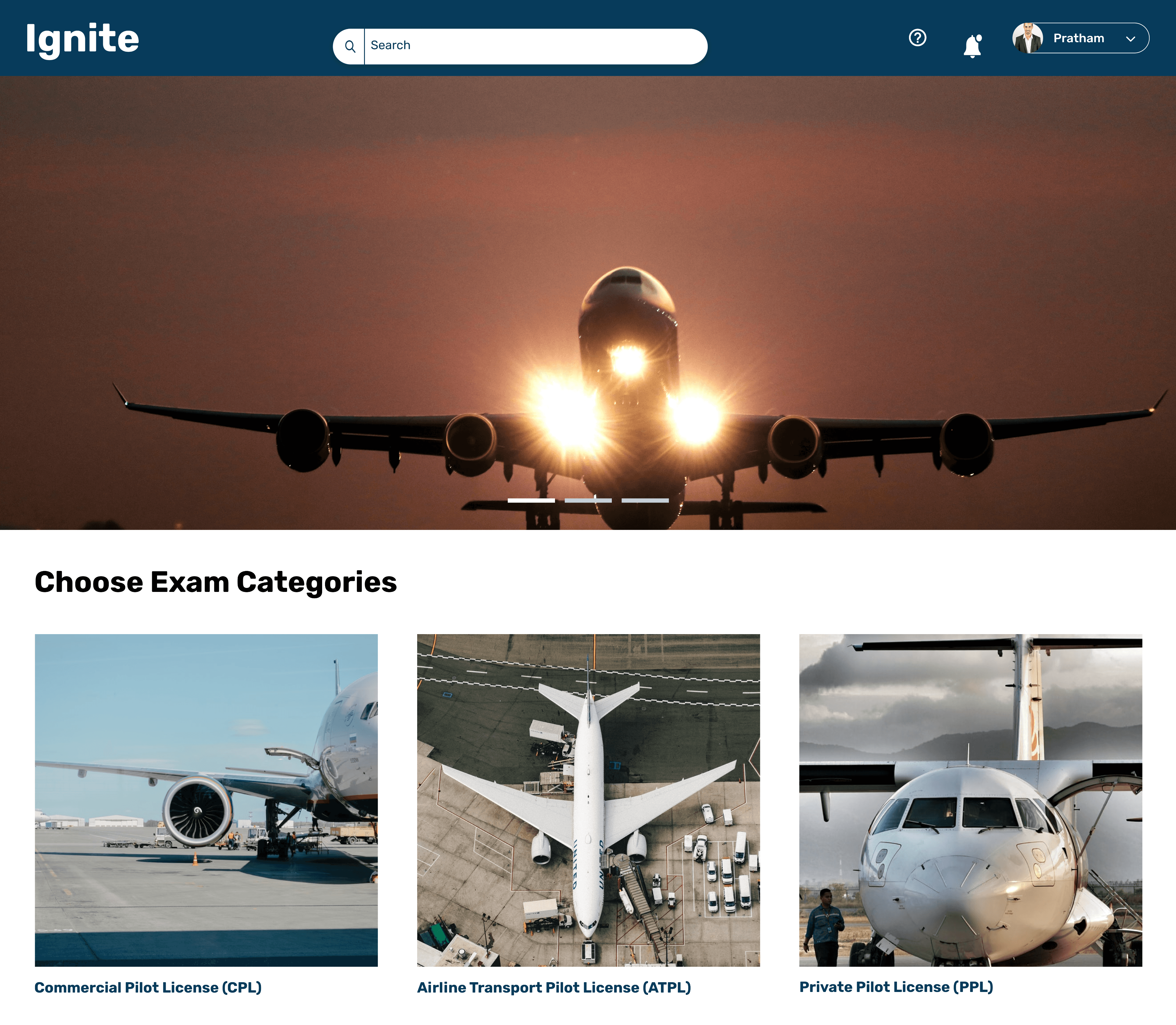
Step 1 > User selects their Exam Category - CPL, ATPL, PPL
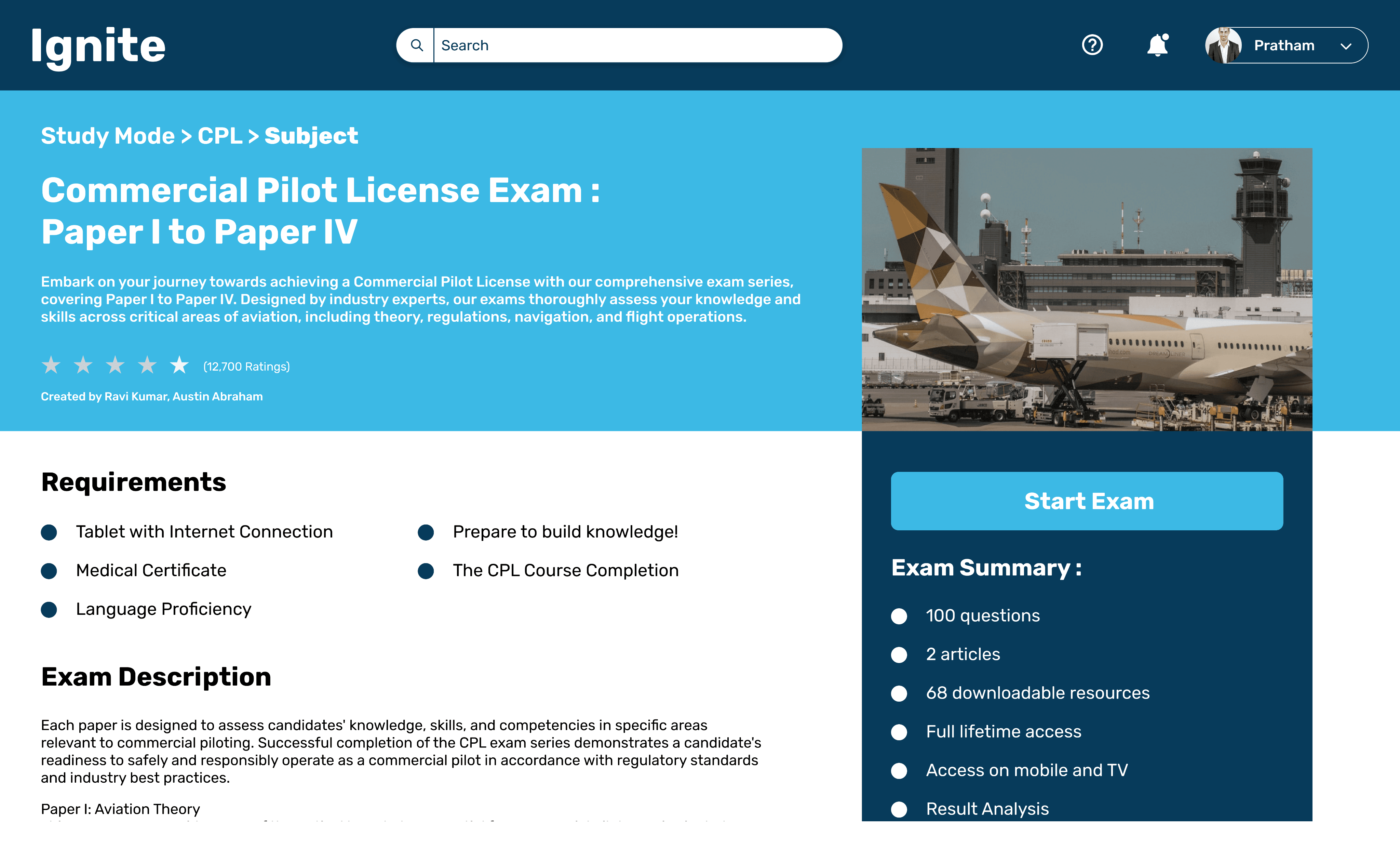
Step 2 > User selects their Exam Category - CPL, ATPL, PPL
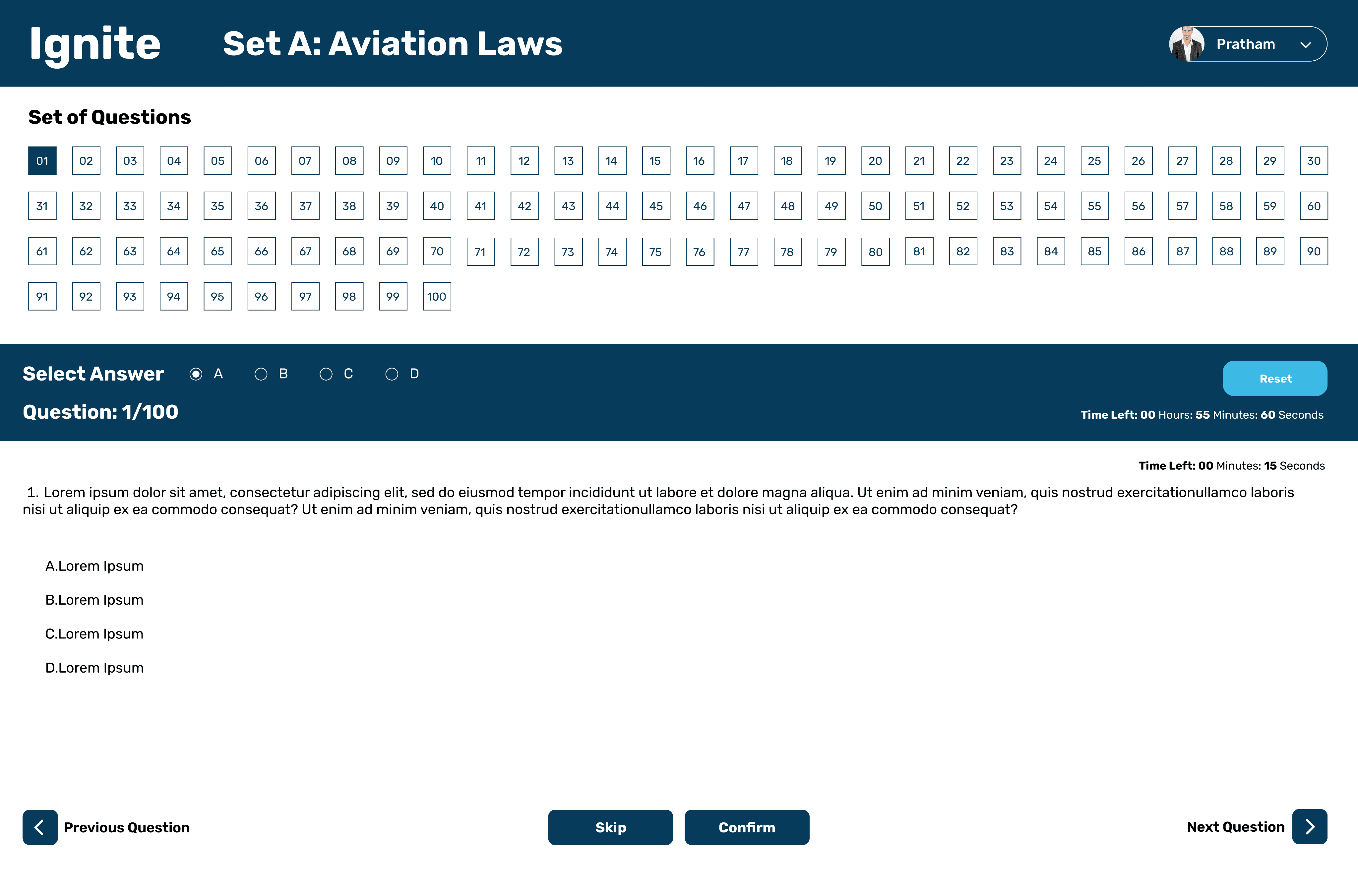
Step 3 > User attempts the Simulated Mock test.
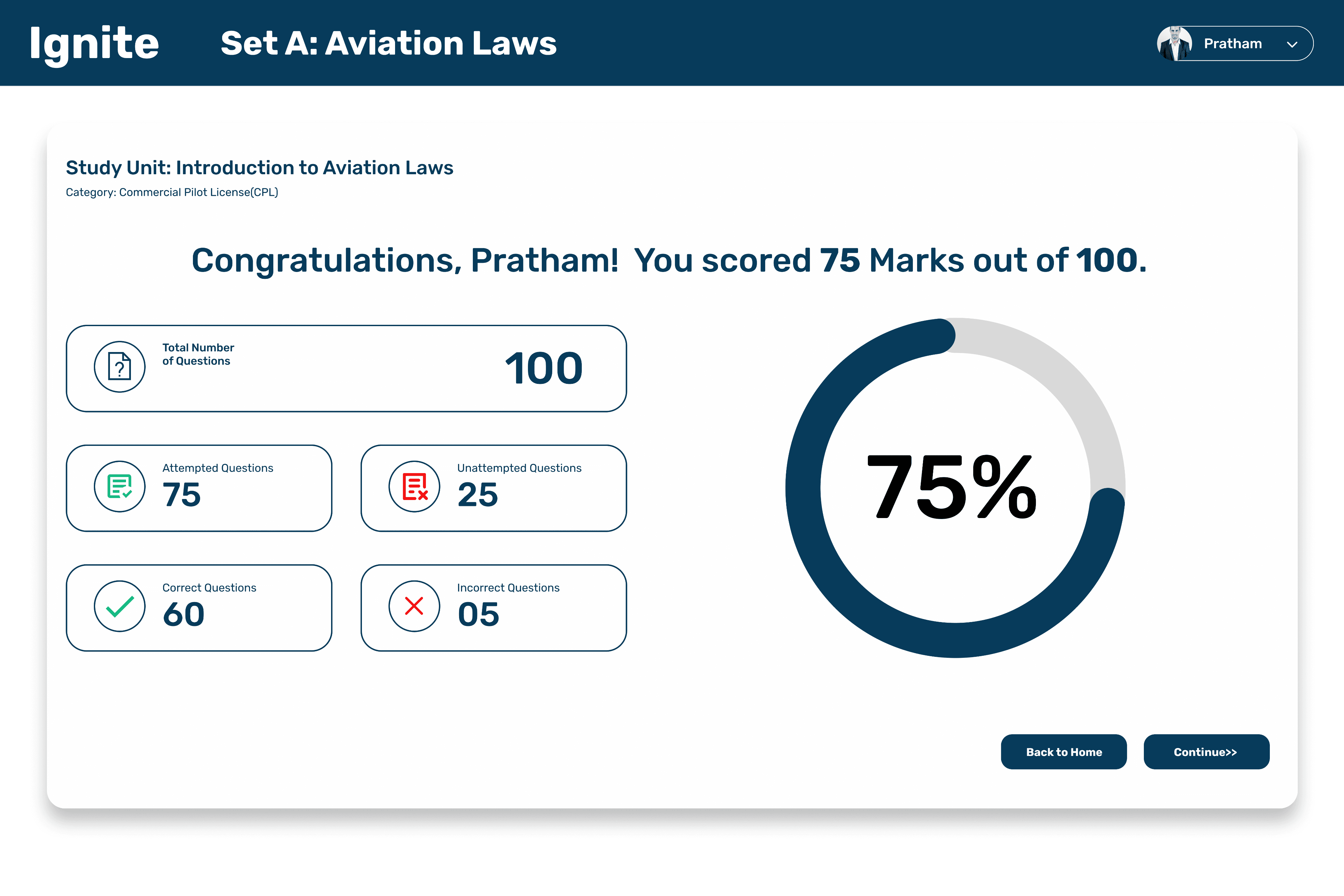
Step 4 > User gets their mock test results.
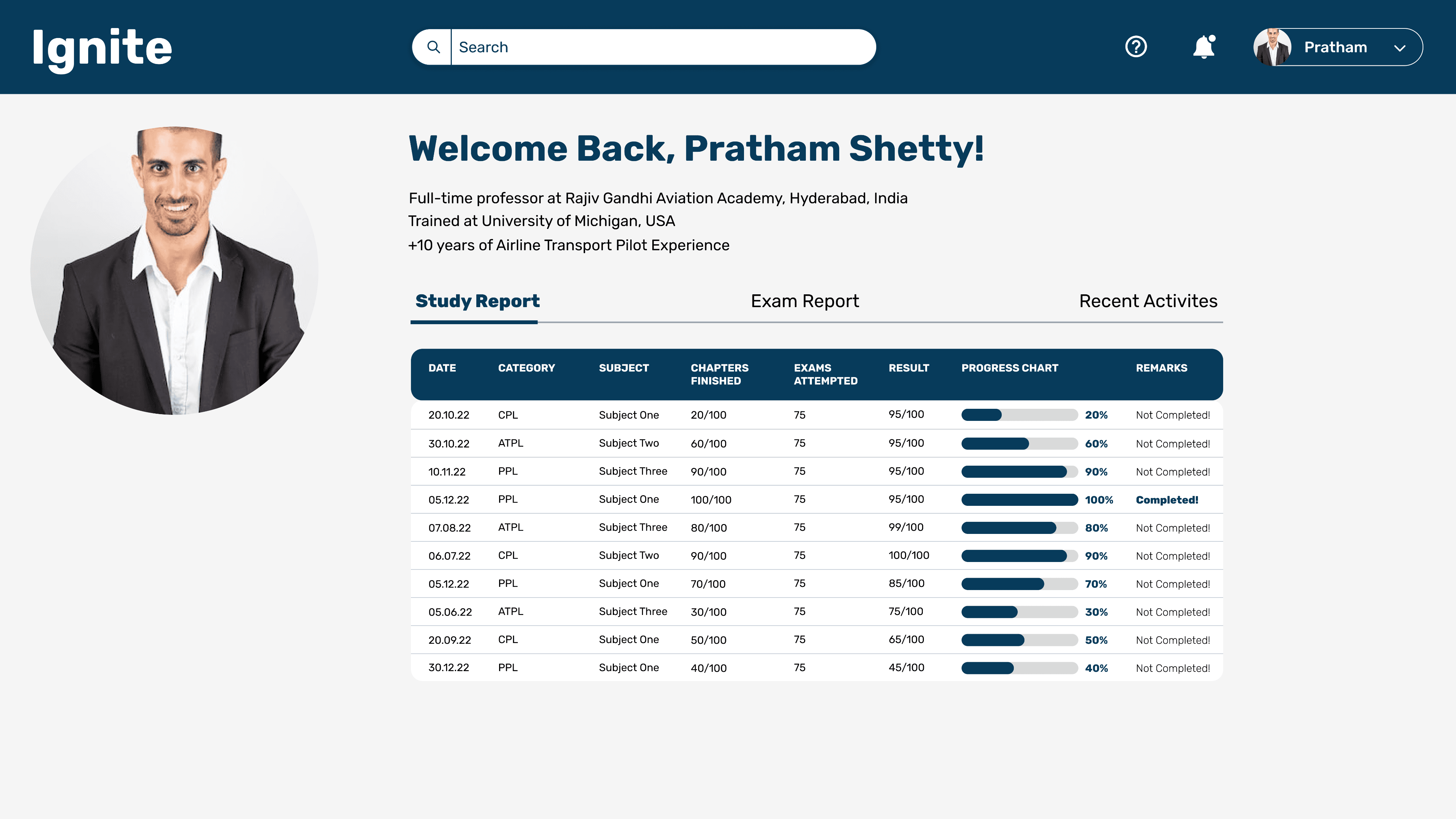
The Study Report page offers an in-depth analysis of the user’s study habits, presenting a breakdown of time spent on different topics, progress charts, and recommendations for areas to focus on. It serves as a personalized study companion, giving users actionable insights to optimize their learning experience.
The Exam Report page provides users with a detailed overview of their examination performance. It highlights key metrics such as overall score, number of attempts, time spent on each section, and areas requiring improvement. The report is structured to offer insights into both strengths and weaknesses, allowing users to focus their future study efforts on areas with lower performance.
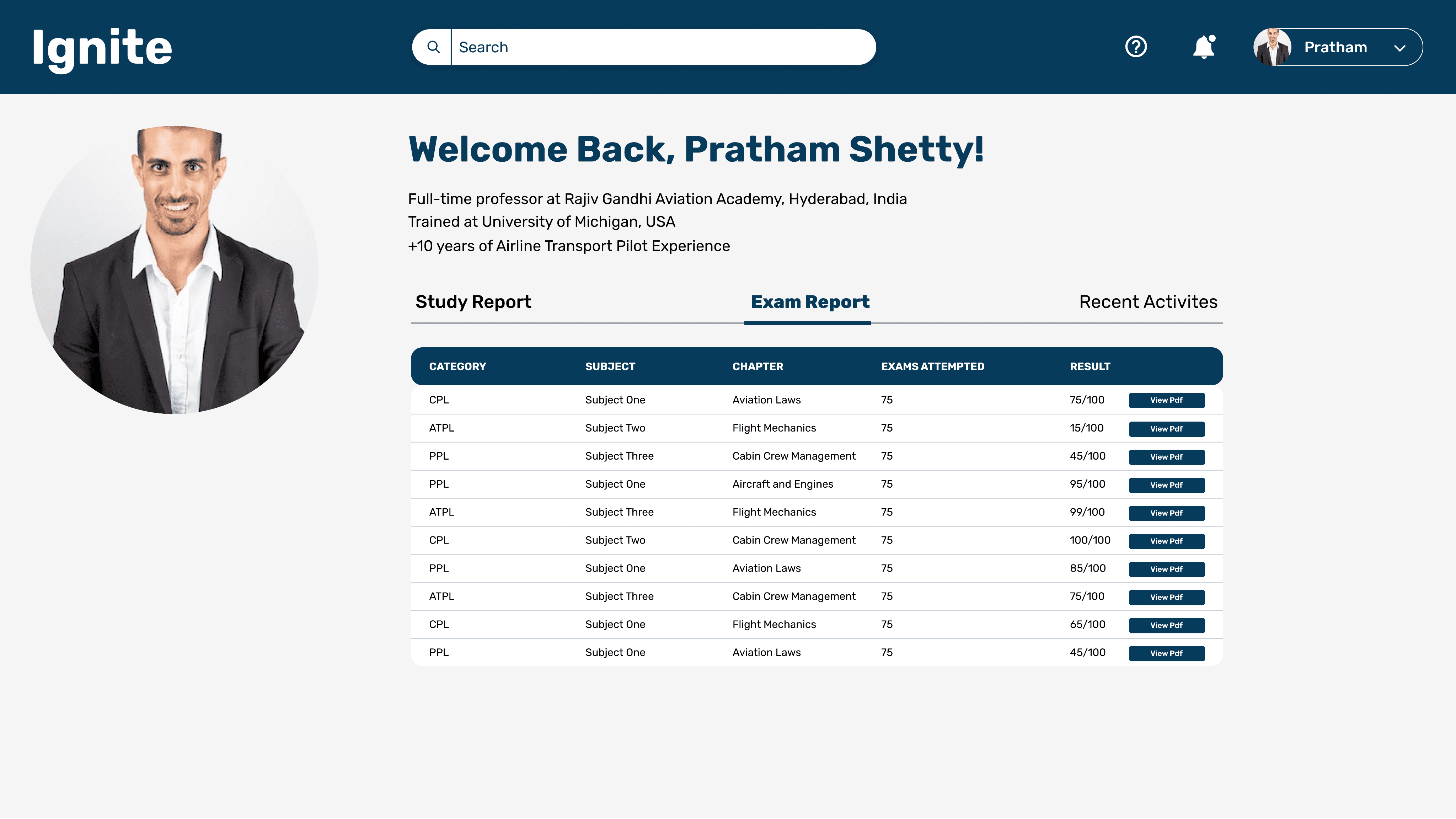
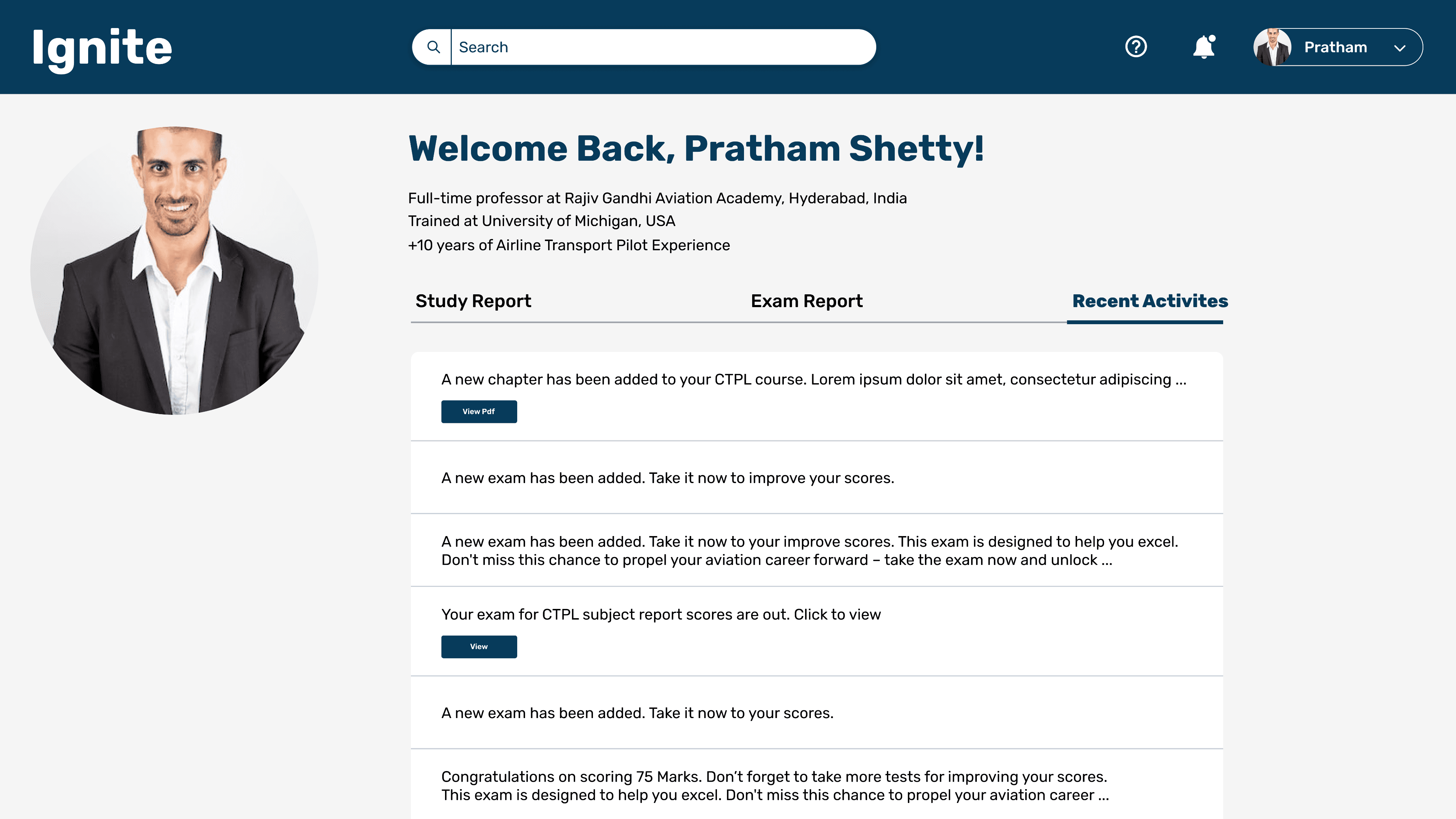
"The Recent Activities page presents a chronological summary of the user's interactions within the platform. Users can track their recent study sessions, completed quizzes, and key milestones. This section helps users stay organized, offering a quick snapshot of their progress and engagement with the platform."
POST-LIVE
Upon the successful release of our educational platform for aviation students, we gathered initial data to gauge its impact. The metrics not only reflect user adoption and engagement but also offer insights into how well the platform meets our educational objectives.
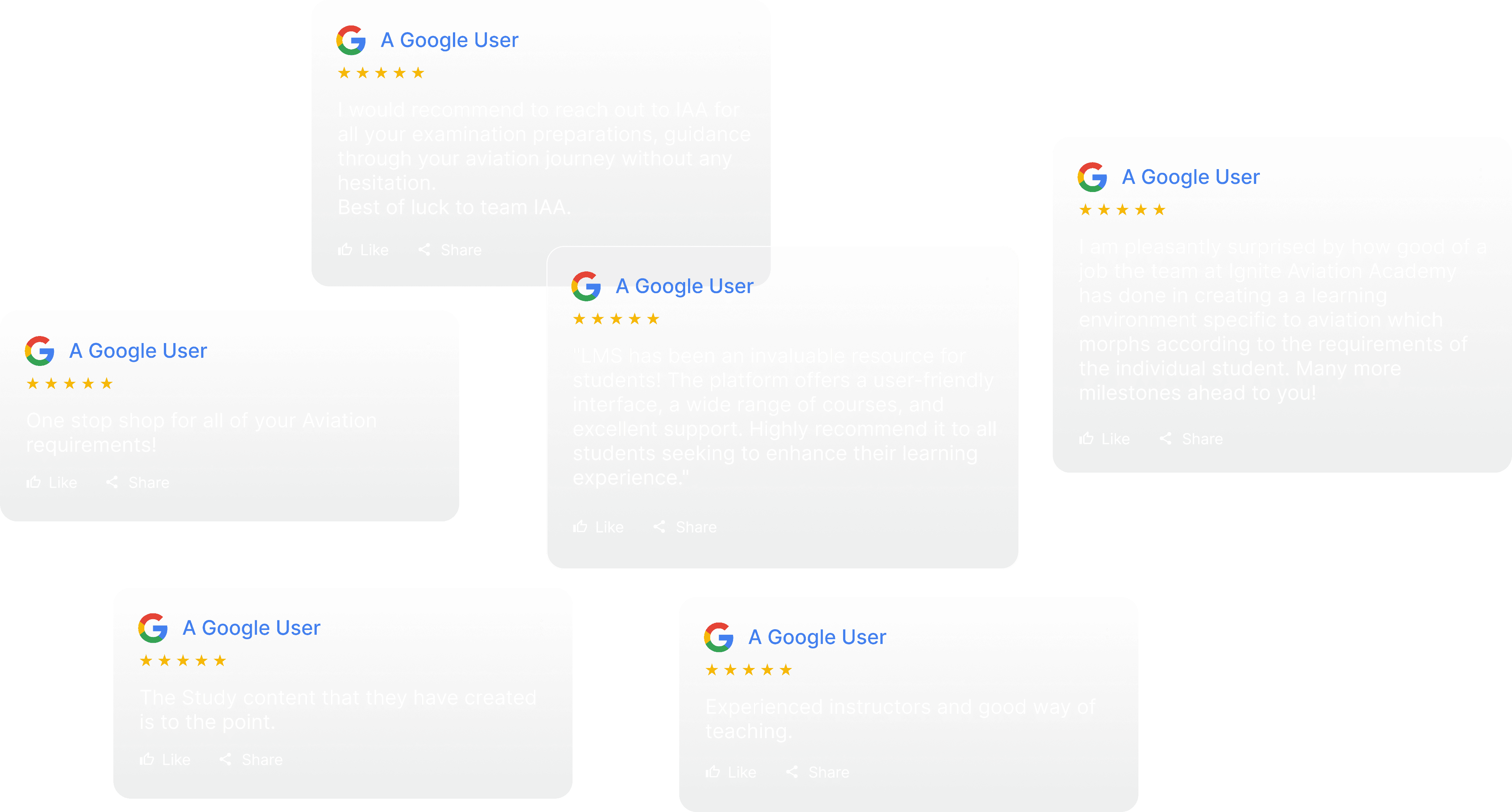
A snippet of Google Reviews - Post Live
Post-Live Achievements! 🏆
User Sign-Ups/Registrations
500+
within the first month
Average Exam Completion Time
1h 45 Min
showing efficiency in exam interface.
(CPL and ATPL - Exam Duration is typically 2 hours/Module)
RESULTS